ELEVATE
ELEVATE
The Intuitive Guitar Engine


Plug Elevate’s balanced XLR stereo outputs directly into the PA and sound like a miked cab in full panoramic stereo. Organize your presets into set lists with an A/B option for every song. Switch between sounds silently with zero gap. And with 1.6 ms latency, what you play is what the audience hears... without the lag that plagues other multi-effects
units.
Key live features:
Elevate doubles as a USB audio interface.
Connect to your Mac or PC, open your DAW, and you’re recording through Neunaber-quality effects with zero additional setup. The cabinet simulation provides polished, mic’d-amp tone without the room, the mic, or the noise floor. Lay down a demo on your phone or track a full session in your studio —
the signal path is the same.
Key studio features:
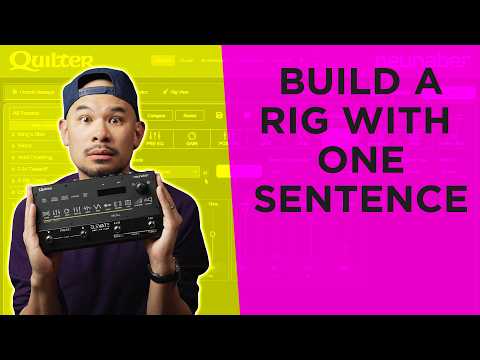
Plug in over USB and open the Elevate AI enabled companion web app — a free browser-based companion to the Elevate. Describe the tone you're after — a song, a guitarist, a vibe — and let our AI engine build a matching preset in seconds. Save everything to the cloud, browse and rate presets from players worldwide, and dial in your sound with Rig View's gig-ready knob interface. When you're done tweaking, plug in your headphones and practice through studio-quality effects without waking anyone up.
Key features:
Other multi-effects units give you a color touchscreen, 47 amp models, a three-week learning curve, and a head full of confusion. Elevate gives you one knob, capacitive touch buttons, and a signal chain you can understand in mere minutes. That's not a limitation — it's the entire point.
No software required to make basic edits on the fly. When you want to go deep, Elevate AI gives you full control over every parameter in real time — from any device, with no app to download or update.
| Quilter Labs ELEVATE | Line 6 HX STOMP | Boss GT-1000CORE | Headrush MX5 | Boss ME-90 | |
|---|---|---|---|---|---|
| Price | $499 ★ | $599 | $699 | $399 | $399 |
| Latency | 1.6 ms ★ | 2.0 ms | 2.0 ms | 3.5 ms | N/A |
| Boot Time | < 3 sec ★ | ~30 sec | ~25 sec | ~20 sec | ~5 sec |
| Effects | 14 blocks | 300+ models | 140+ effects | 300+ models | 90+ effects |
| User Presets | 400 ★ | 126 | 250 | 300 | 36 |
| Amp Modeling | None (Easy DIY) |
80+ amp models | 32 amp types | 40+ amp models | 9 preamp types |
| USB Audio | ✓ | ✓ | ✓ | ✓ | ✗ |
| XLR Stereo Out | ✓ | ✗ | ✓ | ✓ | ✗ |
| Bluetooth | ✓ JamLink | ✗ | ✓ | ✗ | ✗ |
| MIDI Control | ✓ | ✓ | ✓ | ✓ | ✗ |
| Software & Ecosystem | |||||
| App Required | No — browser only ★ | HX Edit (desktop install) |
Tone Studio (app + $50 BT adapter) |
No | Tone Studio (app install) |
| AI Presets | ✓ Text-to-tone ★ | ✗ | ✗ | ✗ | ✗ |
| Cloud Sync | ✓ Built-in ★ | ✗ | ✗ | ✗ | ✗ |
| Community | ✓ Rate & share ★ | Customtone (basic) |
Tone Exchange | Cloud (limited) |
✗ |
| IR Loading | ✓ + AI averaging ★ | ✓ 128 slots | ✓ | ✓ | ✗ |
| Weight | 1.5 lbs ★ | 1.8 | 2.1 | 3.5 | 6.5 |

AI PRESET GENERATION
Plug in over USB and open Elevate AI in your browser. Describe the tone you want — a song, a guitarist, a vibe — and our AI engine builds the preset for you. No app to install. No menus to scroll. Just tell it what you're after and play.

cap sense Buttons
Capacitive sense touch buttons reduce failure points while making editing on the unit a breeze. Adjust the button sensitivity in the Settings Menu to personalize your interface.